• Home
  • Student
  • Employee
  • FAQs
  • Home
  • Student
  • Employee
  • FAQs
home/Knowledge Base/Employee/Qualtrics -Survey Management System

How to approve a Survey to Publish

1 views 0 January 28, 2026 mmirza

How to approve a Survey to Publish

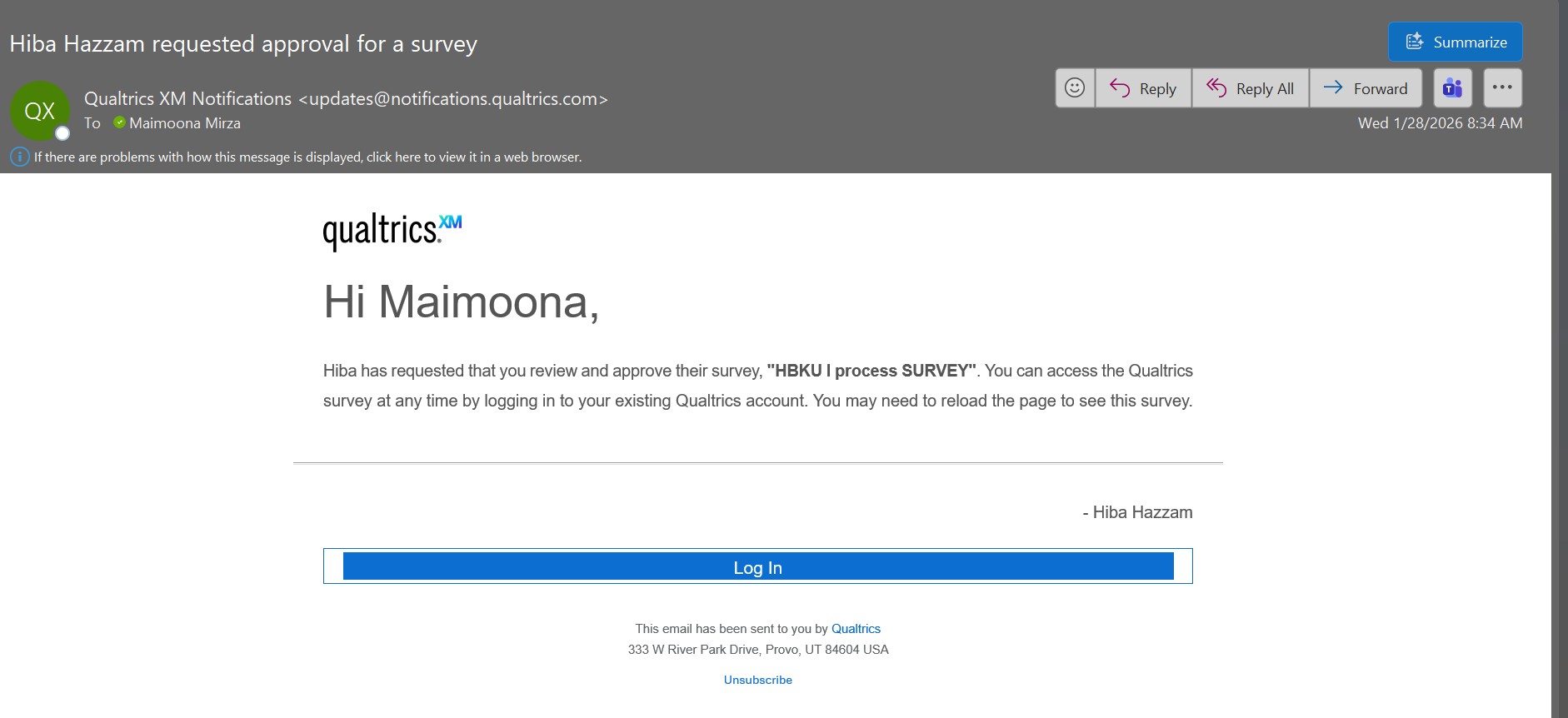
  • Once the Survey is submitted for approval, the Approver will receive an email as below. If the survey is approved, then the survey will be published and the requestor can proceed ahead with distribution.
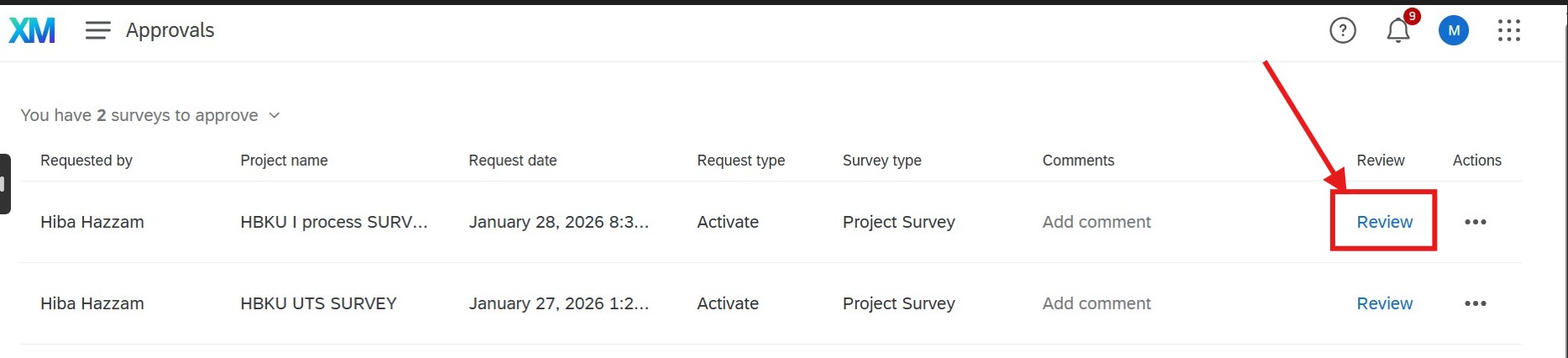
  • Login to Qualtrics System with your HBKU email and password and then you will land to approvals page as below.
  • Click on Review

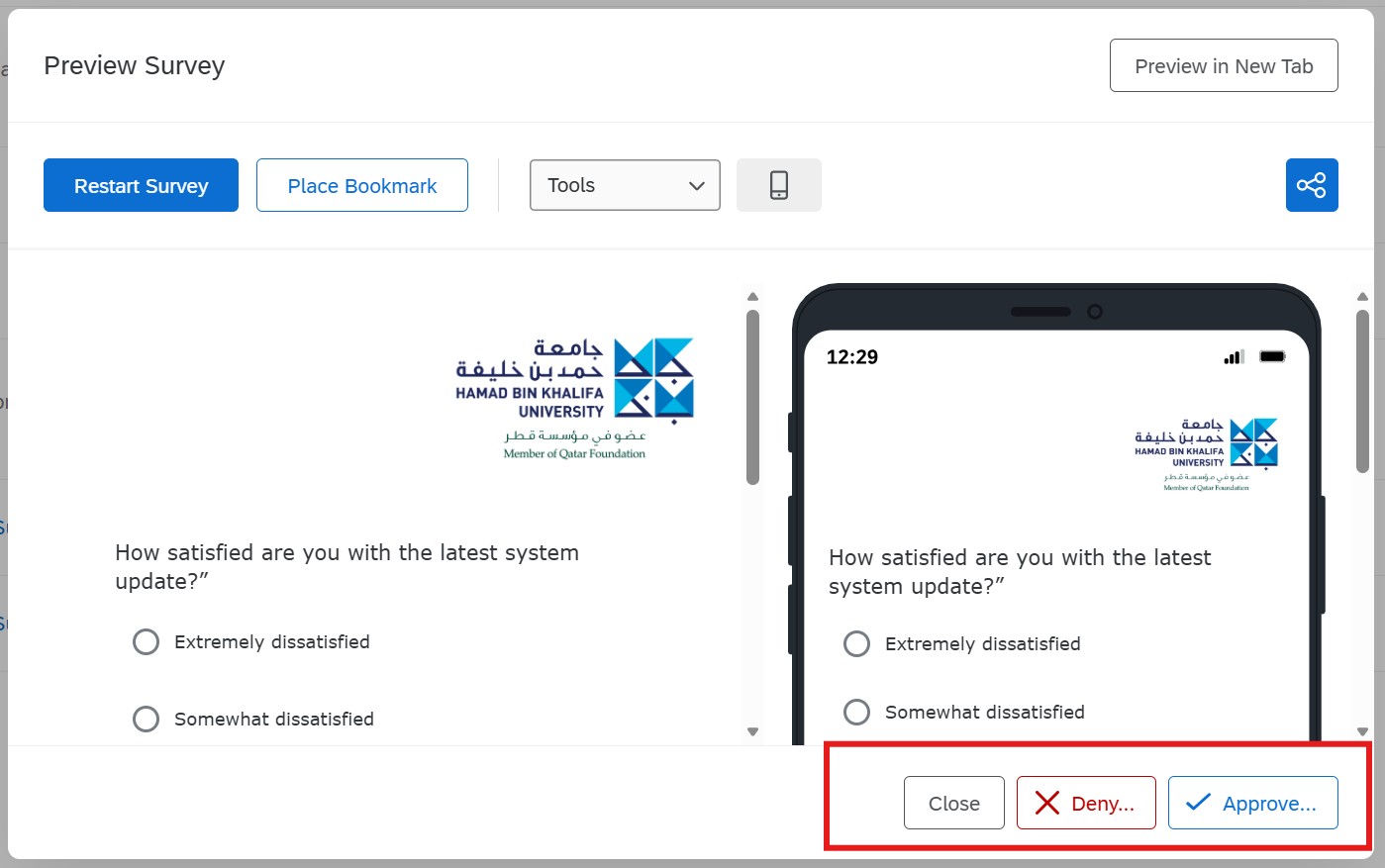
  • Review the survey and take necessary action


Tags:Approve a SurveyHow to approve a Survey to Publish

Was this helpful?

Yes  No
Related Articles
  • How to Publish a Survey (Qualtrics System)
  • Privacy Policy
  • Privacy Policy
  • Terms of Use
  • Cookies Policy
  • Copyright ©2020 All rights reserved to Hamad Bin Khalifa University.