• Home
  • Student
  • Employee
  • FAQs
  • Home
  • Student
  • Employee
  • FAQs
home/Knowledge Base/Student

How to activate Duo Security two factor authentication?

16 views 0 May 31, 2026 sradhakrishnan

How to activate Duo Security two factor authentication?


  1. Go to Google Chrome
  2. Open New incognito Tab
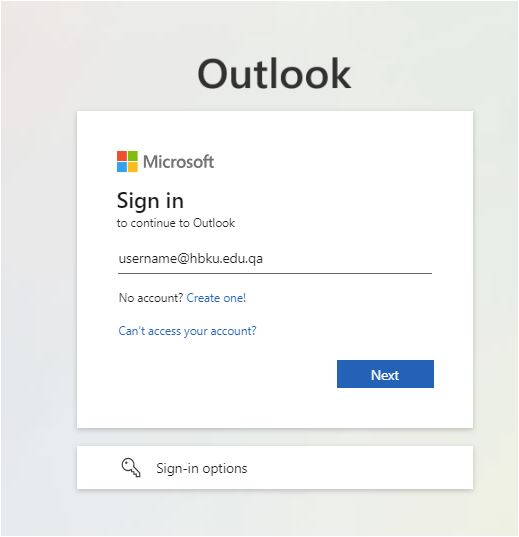
  3. Go to https://mail.hbku.edu.qa
  4. Enter your email address & email password
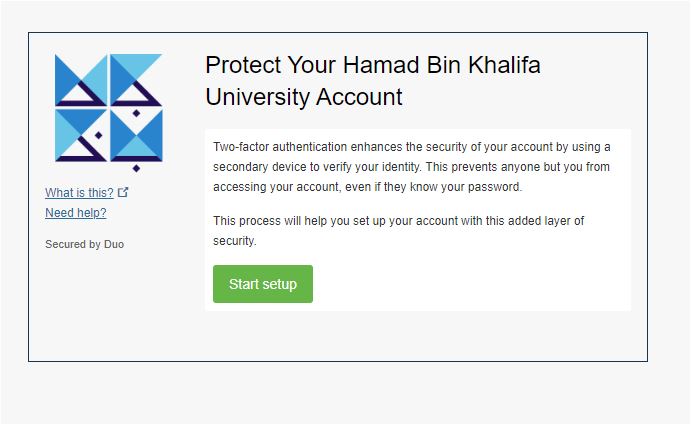
5. Click Start Set up/Add a new device
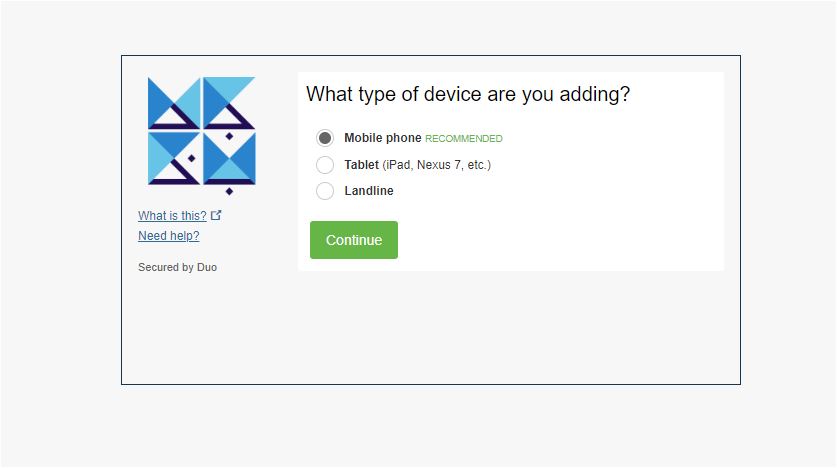
6. Select Device
7. Enter mobile number
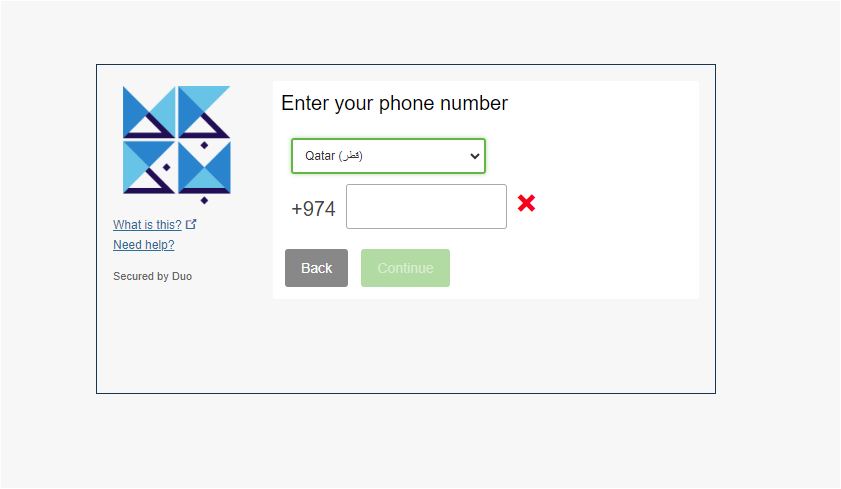
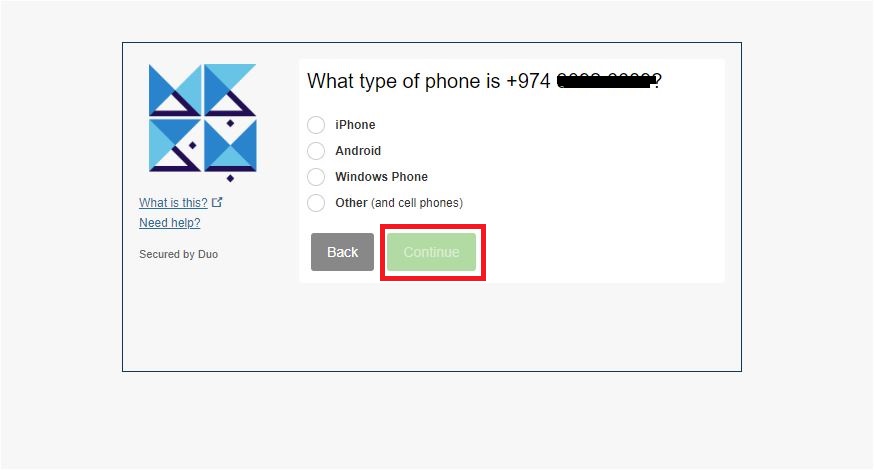
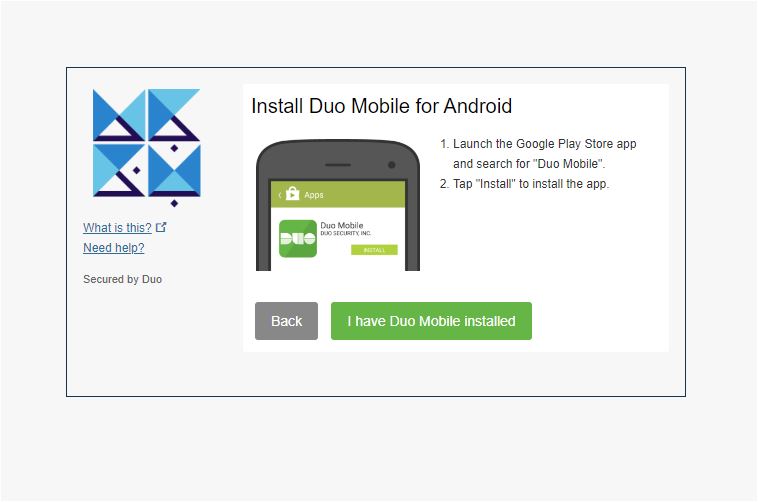
8. Select the Type of Phone

9. Install DUO Mobile app from Play store/Apple store – If the application is not installed. Once installed, Select I have DUO Mobile installed
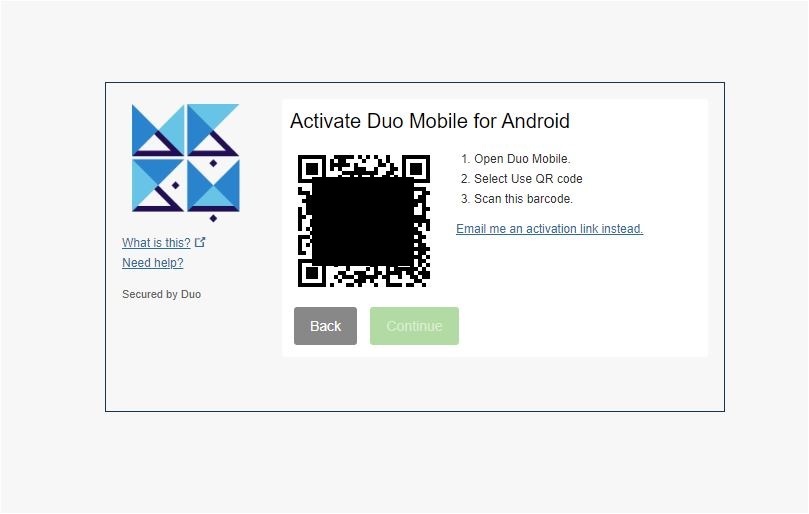
10. Open the app in mobile -> Select Set up New Account-> Scan QR Code
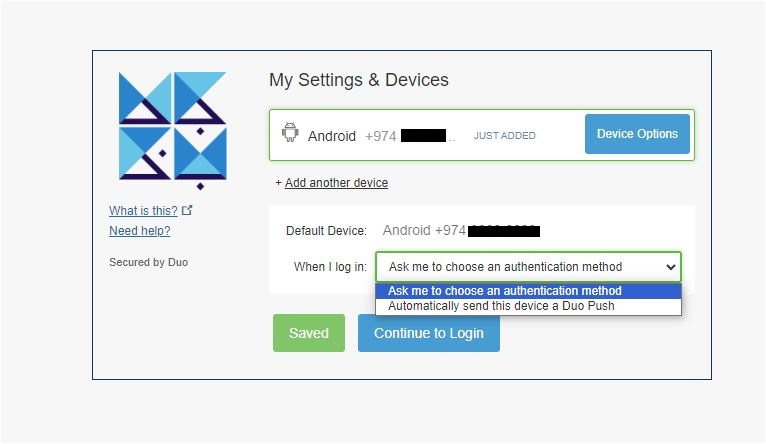
11. Choose the settings and try to send push & approve on your mobile from Continue login.
 

Was this helpful?

Yes  No
Related Articles
  • Using Mediasite Lecture Capture from Canvas
  • How to approve a Survey to Publish
  • How to Publish a Survey (Qualtrics System)
  • How to Submit an Annual Procurement Plan
  • How to submit a Distinguished Professor Application
  • How to submit CSE External Examiner Request Form
  • Privacy Policy
  • Privacy Policy
  • Terms of Use
  • Cookies Policy
  • Copyright ©2020 All rights reserved to Hamad Bin Khalifa University.