• Home
  • Student
  • Employee
  • FAQs
  • Home
  • Student
  • Employee
  • FAQs
home/Knowledge Base/Faculty

How to submit a Distinguished Professor Application

5 views 0 December 22, 2025 amal

How to submit a Distinguished Professor Application

(for Professor only )

Step 1: Log in

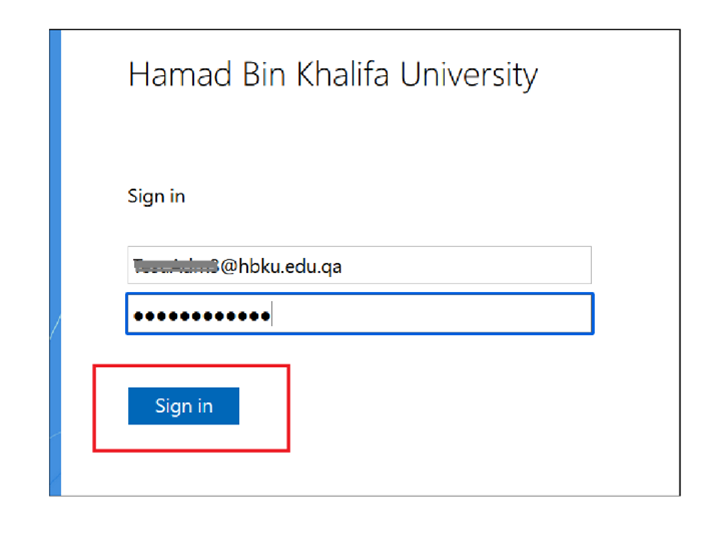
  • Navigate to https://iprocess.hbku.edu.qa/
  • Login with HBKU Email ID and Password

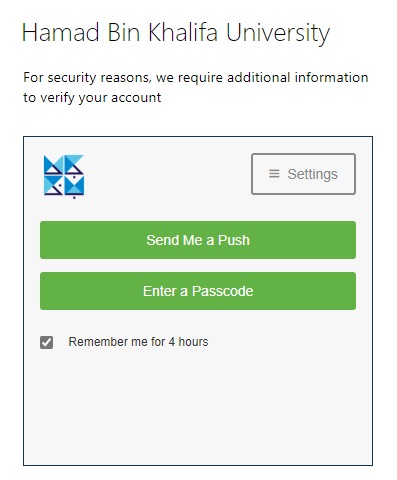
  • Authenticate with DUO
  • Click on Send me a Push and approve from your mobile.
Step 2: Request Submission

  • Click on Form I can Submit Section
  • Click on Academics Tab
  • click on Distinguished Professor Application Form

Navigate to each tab and fill in the necessary information


  • Click on Submit Request.

Tags:Distinguished Professor Application

Was this helpful?

Yes  No
Related Articles
  • How to submit CSE External Examiner Request Form
  • Official Memo Reference Generation System
  • How to submit External Examiner Selection Form
  • How to Add Signature on iProcess Profile
  • How to access AVD through Web
  • How to Access AVD through Remote Application
  • Privacy Policy
  • Privacy Policy
  • Terms of Use
  • Cookies Policy
  • Copyright ©2020 All rights reserved to Hamad Bin Khalifa University.